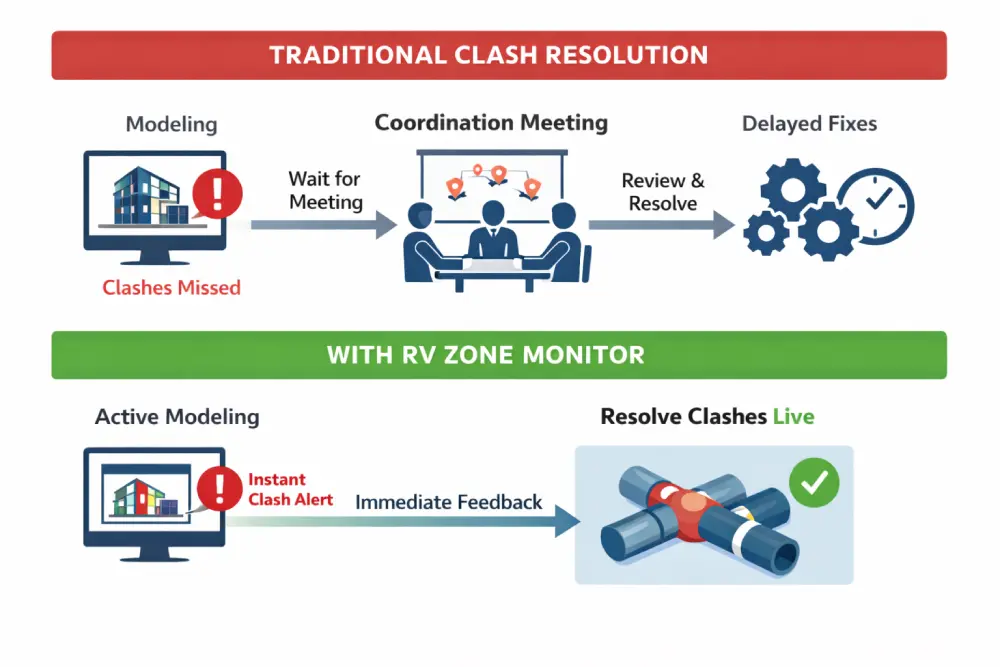
Between coordination meetings, dozens of clashes can creep into the model. By the time these are picked up, they are already buried across multiple systems and views.
And let’s be honest, most BIM coordination meetings can’t cover all the active clashes!
RV Zone Monitor brings clash alerts directly into your day-to-day modelling. Instead of waiting for a report, you see problems as they happen and can fix them immediately inside Revit.
See clashes before meetings
RV Zone Monitor shifts the clash resolution process earlier.
It gives designers immediate feedback while they are working, so clashes are resolved when the context is still fresh.
Instead of collecting problems for later, your team deals with them in real time. This makes coordination feel like a natural part of modelling rather than a separate task you have to remember to run.
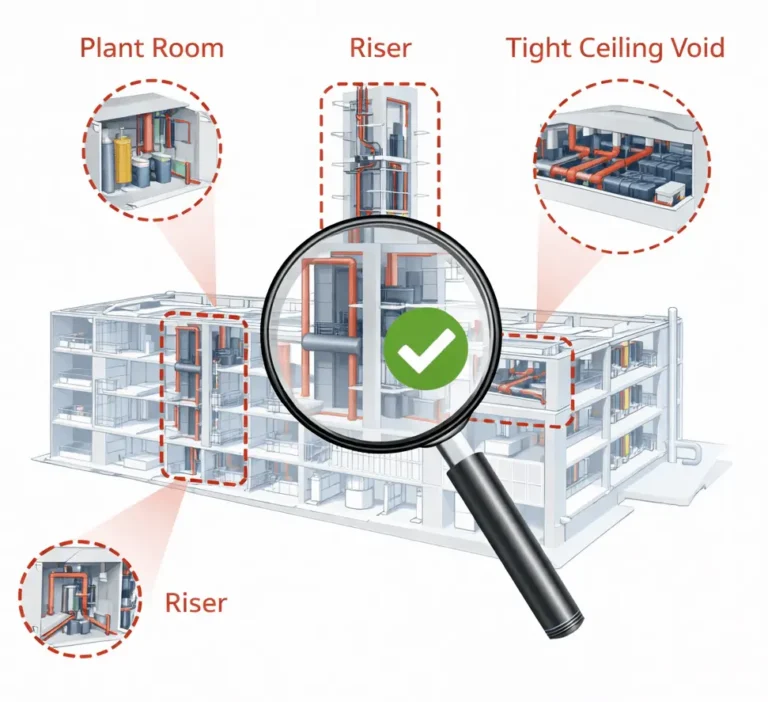
Not every part of the model needs the same level of scrutiny. In practice, most coordination issues happen in a few high-risk areas such as plant rooms, risers, and tight ceiling voids.
With RV Zone Monitor, you define zones around those critical areas and have them monitored continuously.
This keeps checks fast and relevant. It also helps teams concentrate on the parts of the project where coordination really matters, rather than getting lost in low-priority clashes.
Clash detection is only part of the story. Teams often need to capture information about issues, track responsibility, or pass data into other workflows.
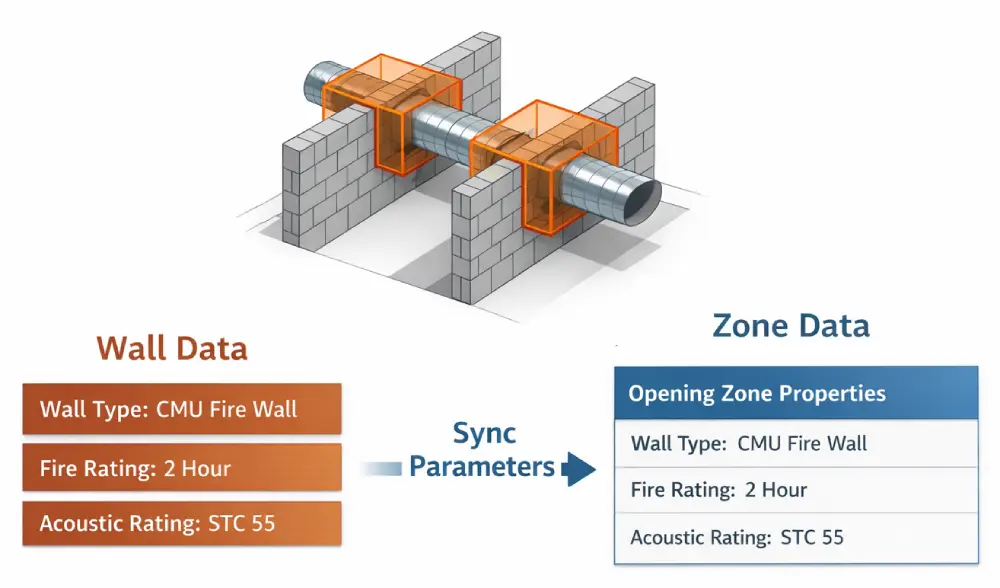
RV Zone Monitor includes parameter synchronisation so you can copy data from violating elements to zone elements, or vice versa.
This creates a simple way to tag and manage issues directly inside Revit. This can support better reporting and more structured coordination processes.
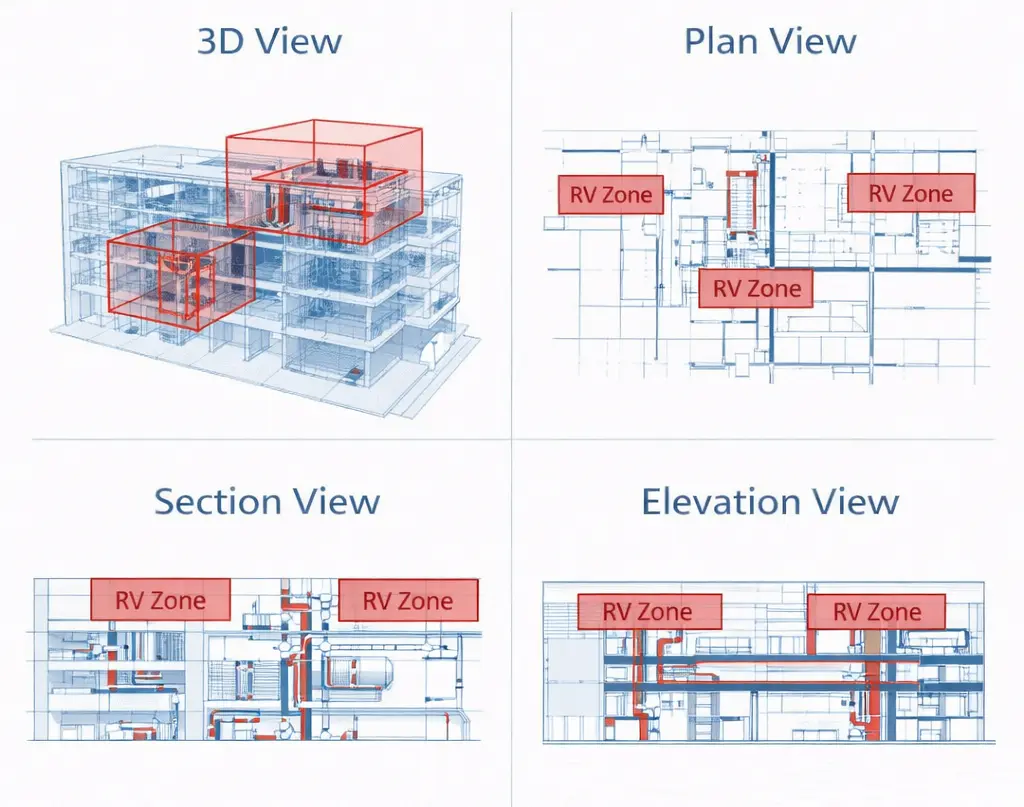
It is often difficult to visualise where coordination rules apply, especially in complex models. Without a clear visual reference, teams can misinterpret boundaries or overlook critical spaces.
RV Zone Monitor lets you display zones directly in all views as lightweight overlays, without modifying the model.
Unlike the traditional “generic model” clearance boxes, these zones are never printed or exported, so you can safely keep them visible at all times to help everyone understand what needs to be kept clear.
RV Zone Monitor does not replace tools like Navisworks. Instead, it helps reduce the number of issues that make it that far. By catching problems earlier, your coordination meetings become more focused and more productive.
If your team is tired of discovering clashes too late, this is a simple way to change that. You can start small by defining a few key zones and enabling live monitoring.
From there, it becomes part of how your team works. Problems are caught earlier, models stay cleaner, and coordination becomes less about firefighting and more about control.