Revit Snippet: Find or Remove Empty Tags in All Views
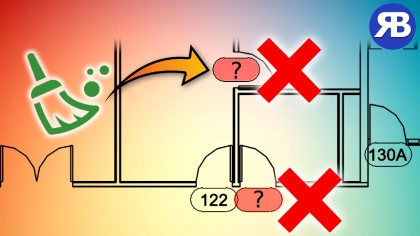
Are you tired of those annoying empty tags cluttering up your Revit views? The ones that just show up as lonely question marks and serve no purpose? We’ve all been there. In our latest video tutorial, you’ll learn a simple and ultra-fast way to detect and delete all invalid tags from your Revit model using a powerful Dynamo script.
Resources
✅ My full Python Scripting for Dynamo course
✅ My other tutorial on using Python for Dynamo in Revit
✅ My other tutorial on setting up and using Visual Studio Code for writing Python code in Dynamo
What You’ll Learn in This Tutorial
This tutorial is designed for both Revit users who just want a quick fix and those interested in learning Dynamo scripting with Python. Here’s a quick overview of what’s covered:
Quick Fix for Empty Tags
- Use a ready-to-run Dynamo script to clean your Revit view in less than a second
- Detect and delete all empty tags showing as question marks (?)
Learn to Code the Script from Scratch
- Set up a better coding environment with Visual Studio Code
- Create a custom Python function to remove duplicate characters
- Use the Revit API to filter and collect tag elements
- Write logic to identify and delete invalid tags based on their text values
- Run the complete script within Dynamo
⚡️ Whether you’re an automation enthusiast or just in a rush, we’ve got you covered.
Bonus: Handle Tricky Tags with Tagitize
Not all empty tags are easy to catch—some use suffixes or prefixes that can fool basic scripts. That’s where Tagitize comes in:
✨ Tagitize features shown in the video:
- Accurately finds empty tags even if they have label formatting
- Allows zoom-to-tag navigation for easy manual review
- Supports bulk deletion across multiple views
- Offers smart tag placement to avoid overlaps
- Automatically improves tag positions with just a click
🧠 Try Tagitize for free here and let me know what you think!
📚 Want to become a Dynamo pro?
Check out the full online course on Python for Dynamo also linked in the description. Learn how to build useful tools like this from scratch.
Join the Community
If you’re new here, don’t forget to subscribe to the channel for weekly Revit and Dynamo automation tutorials. We dive deep into practical workflows that save time and elevate your BIM game.
🔔 Subscribe, learn, and automate like a pro!