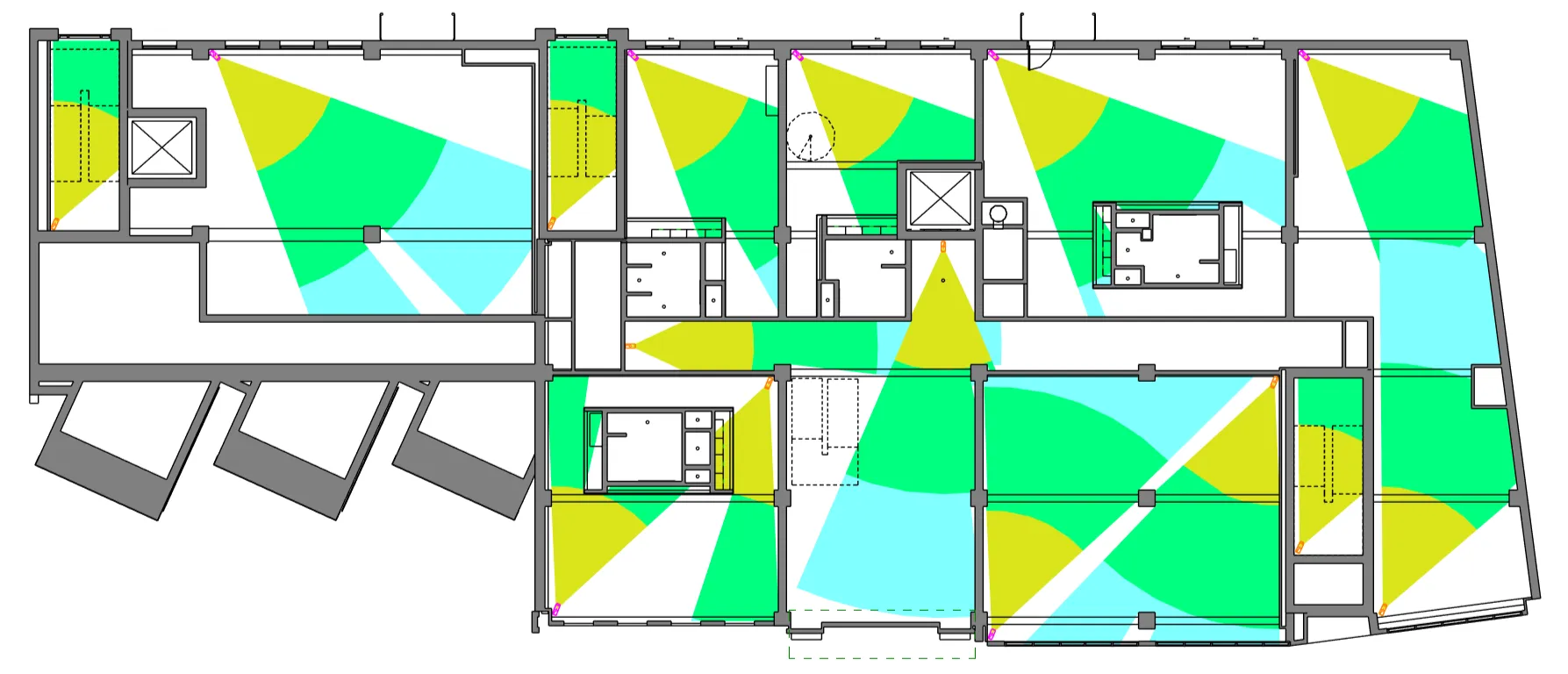
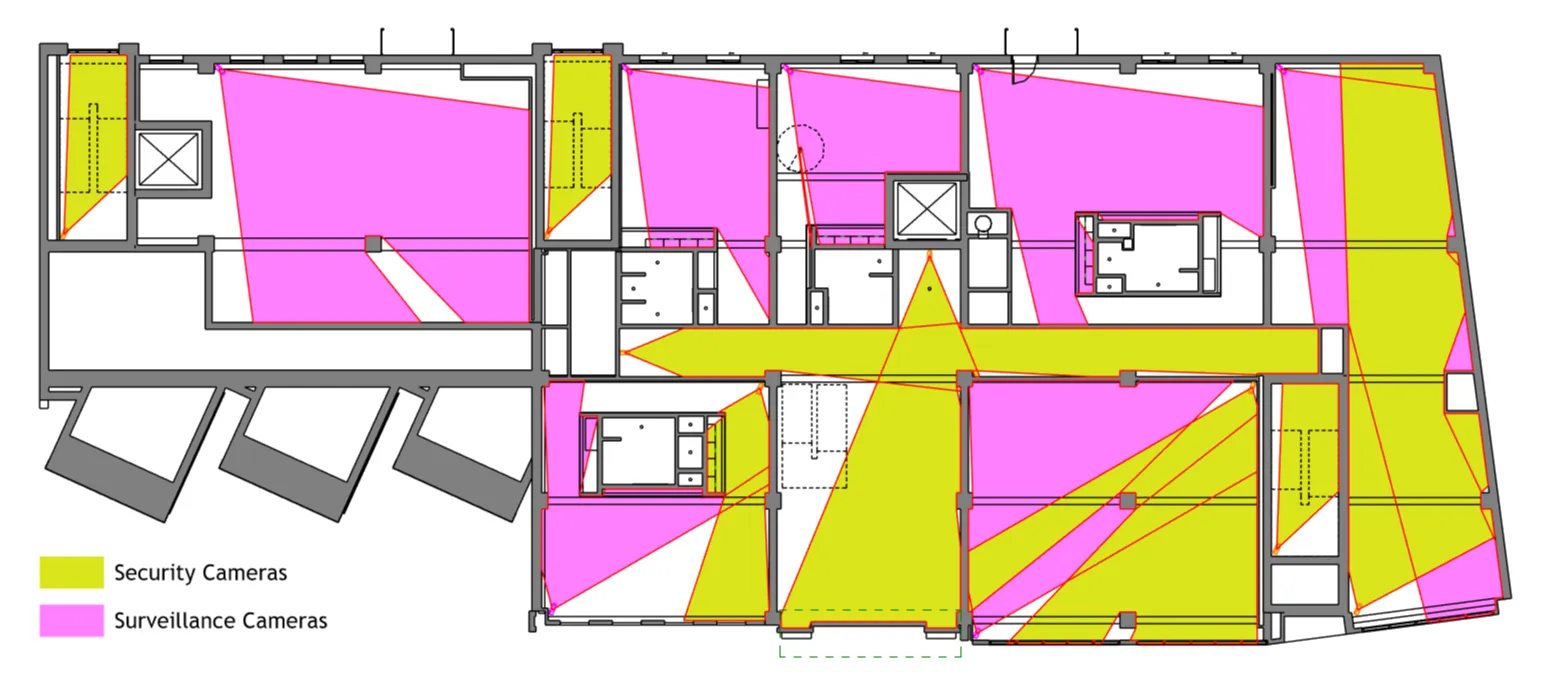
RV CameraPlanner automatically generates camera field of view coverage as filled regions in your Revit views.
It gives security designers and BIM professionals full control over camera visibility, coverage logic, obstruction handling, and presentation, all natively inside Revit.
Plan, validate, and communicate CCTV coverage clearly without external tools, manual drafting, or guesswork.
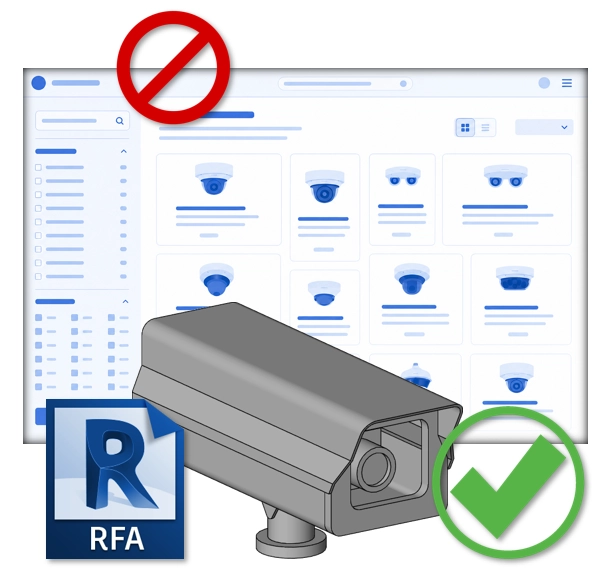
Works with any Revit camera family. No model export required.
Instantly Visualize Camera Coverage
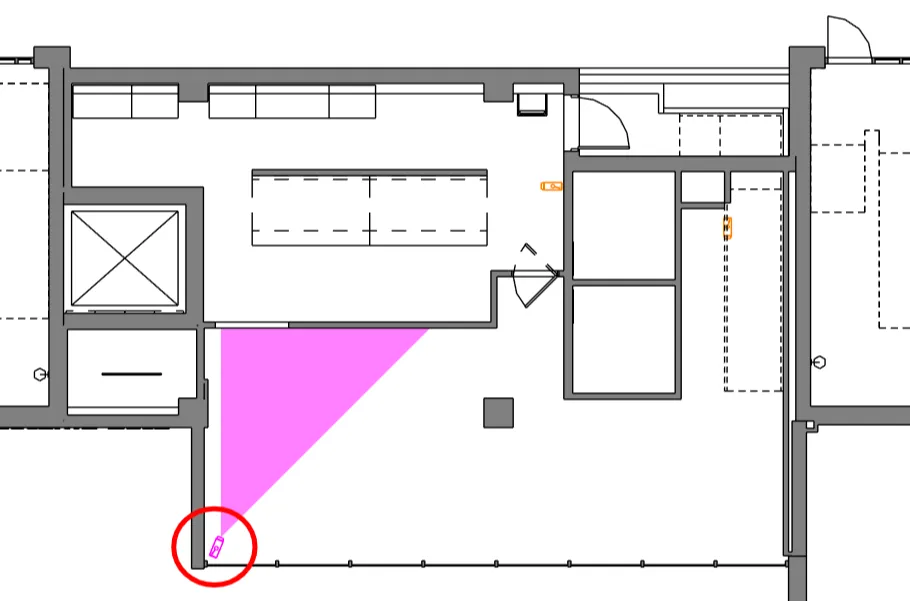
Stop estimating camera coverage. RV CameraPlanner converts Revit cameras into accurate field of view regions, placed directly into your Revit views.
Each camera generates filled regions that clearly show what the camera can see, helping you quickly identify blind spots, overlaps, and over-coverage.
Perfect for: • CCTV and security system design • Concept and detailed design stages • Design reviews and client presentations • Coordination with architects and MEP teams
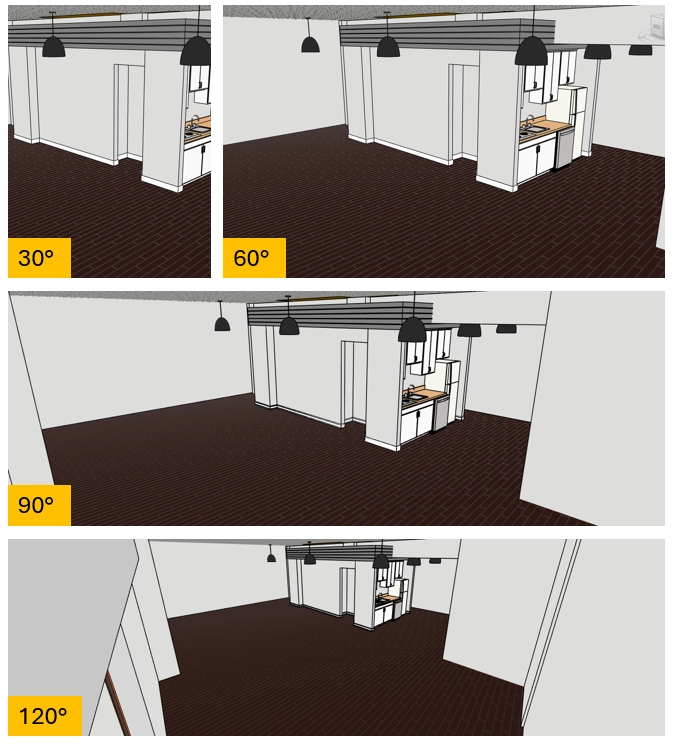
Using the same settings configured to generate camera coverage regions, the app also creates native 3D Revit views to show exactly what part of the model is visible from each camera location.
Horizontal rotation, vision angle, tilt angle, and viewing distance are shared consistently across 2D filled regions and 3D views.
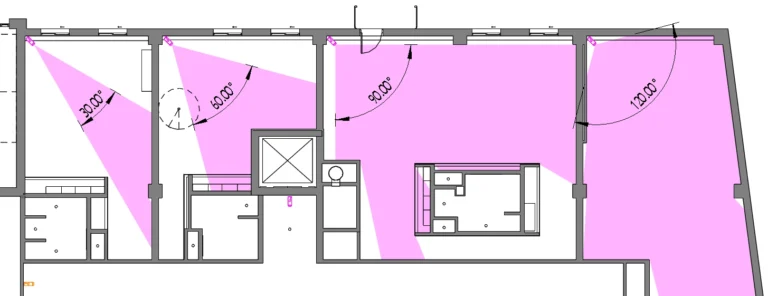
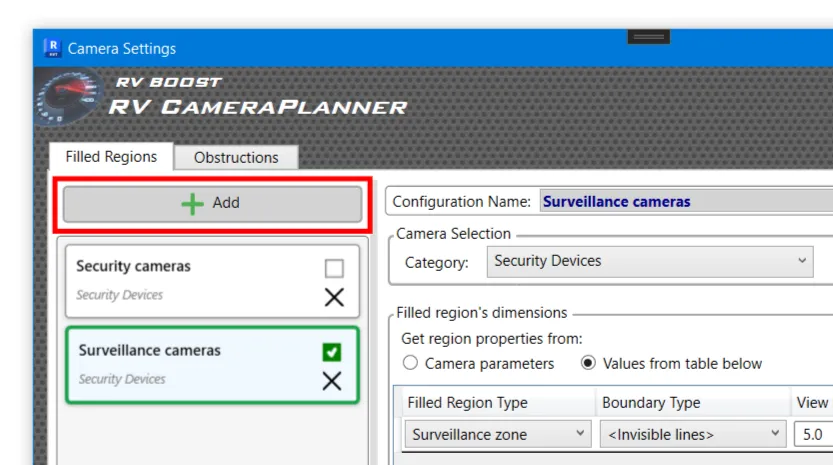
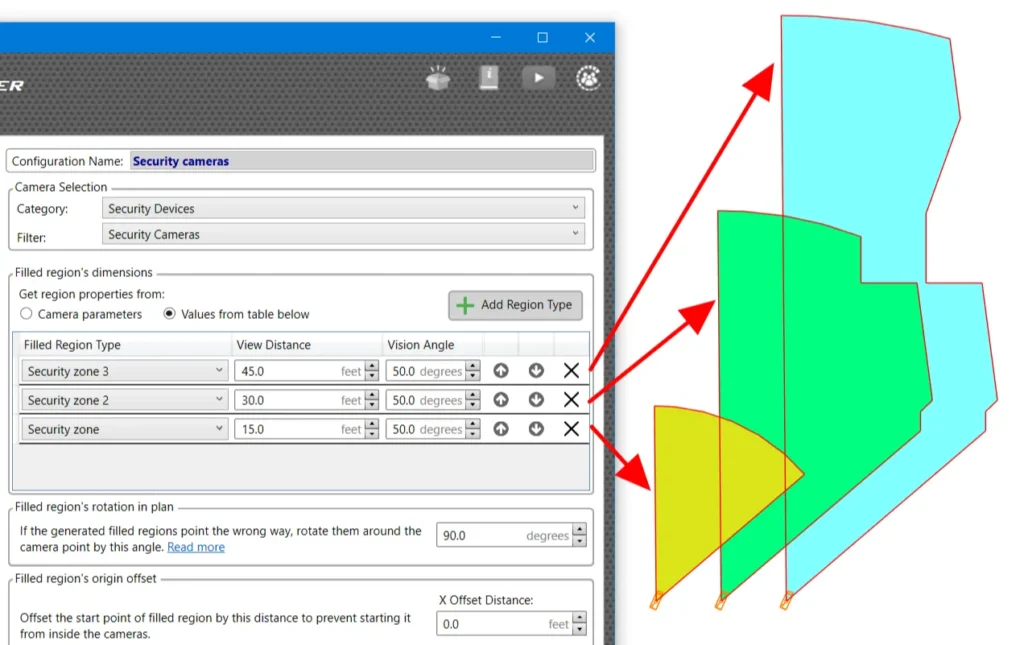
Every project has different camera types and coverage requirements. RV CameraPlanner gives you fine-grained control over how each camera’s field of view is generated.
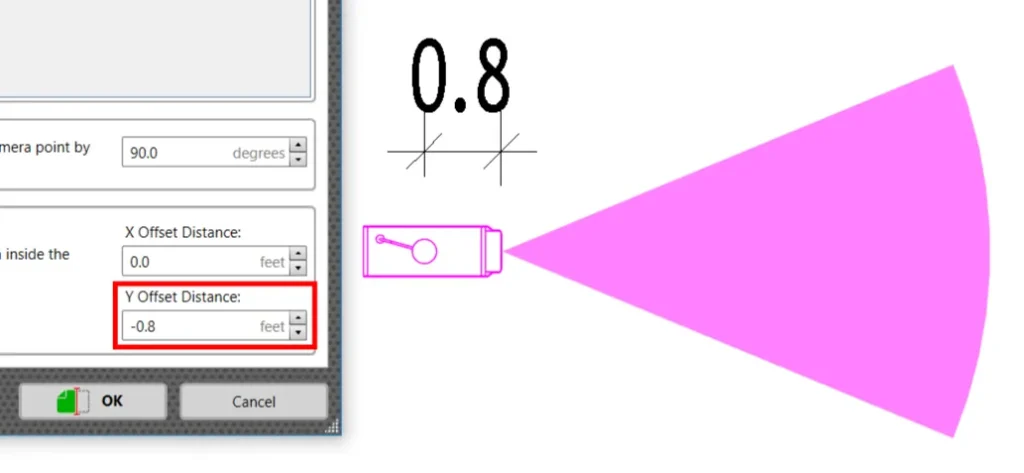
Configure: • Field of view angle • Coverage distance • Shape and orientation • Multiple regions per camera • Rotation around the camera • Origin offset for real-world mounting conditions
You are not locked into a one-size-fits-all visual. The output adapts to your design intent.
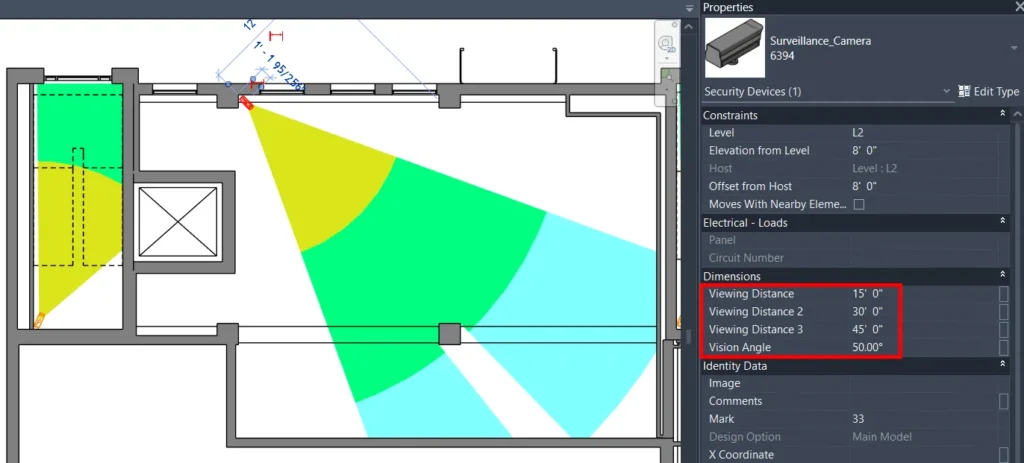
Many real-world cameras have more than one meaningful coverage area. RV CameraPlanner can generate multiple filled regions per camera automatically.
Use this to: • Show primary and secondary coverage zones • Visualise near and far ranges • Separate identification and detection zones • Represent different lens or zoom settings
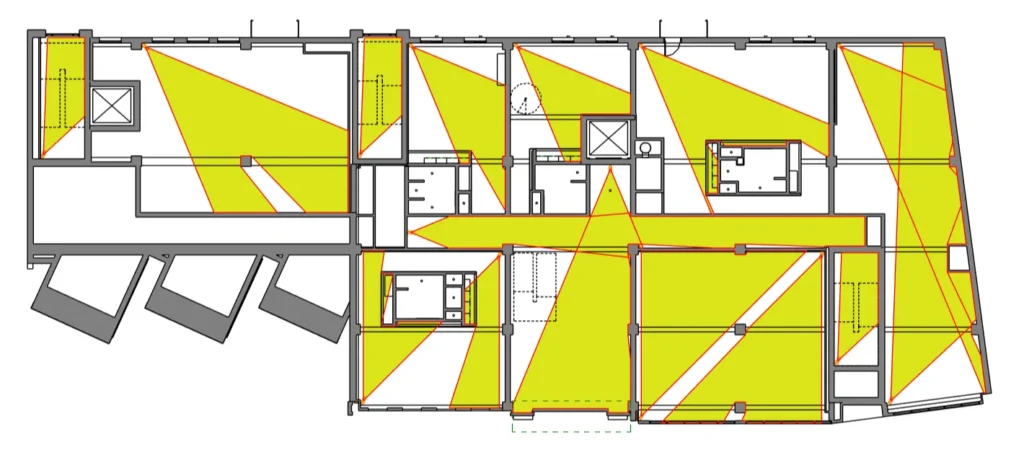
RV CameraPlanner can simulate camera obstructions directly inside Revit, allowing you to validate coverage instead of assuming it.
You can: • Define which Revit categories block camera visibility • Set obstruction check planes • Control how obstructions affect the field of view • Identify coverage loss caused by walls, columns, or other elements
This reduces coordination issues and helps catch problems before construction.
Without RV CameraPlanner, camera coverage is often drawn manually, approximated, or handled outside Revit. This is slow, inconsistent, and hard to maintain.
RV CameraPlanner:
Generate your camera field of view
Adjust filled region behaviour
Handle obstructions correctly
Fine-tune rotation and offsets
Configure camera-specific rules
No locked-in workflows. No external software.
Just accurate camera field of view planning where your model already lives.
Small time savings per camera quickly add up on large projects.
If you already place cameras in Revit, RV CameraPlanner fits naturally into your workflow.