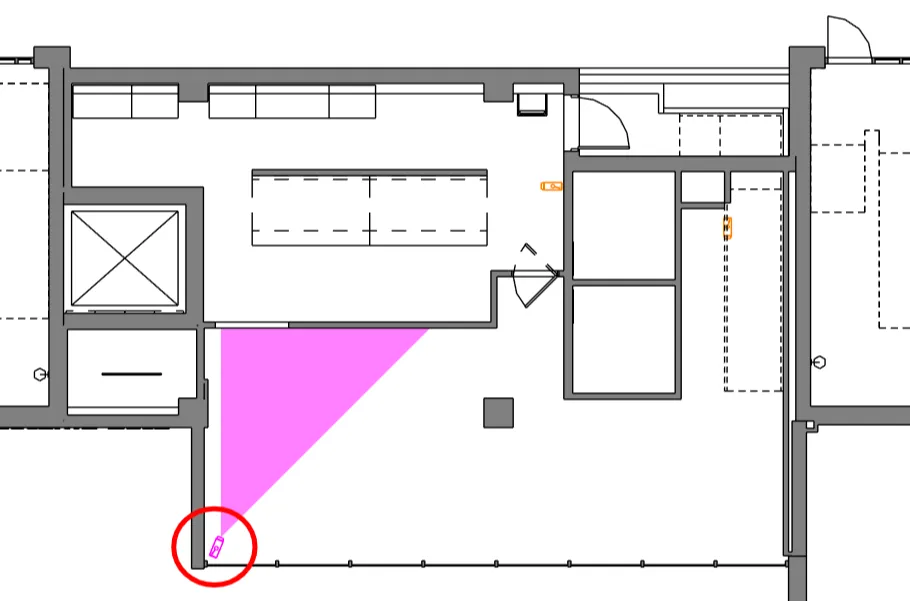
Obstruction check plane
If RV CameraPlanner generates a filled region that seems to “miss” an obstruction, first check if you have added the obstruction category to settings.
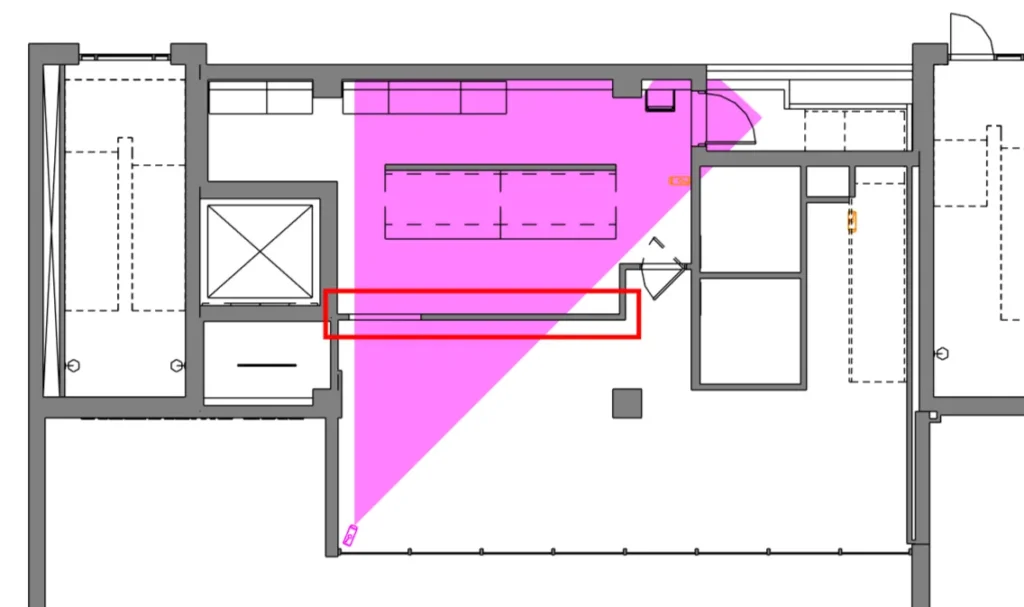
If already done, you most likely need to tweak the elevation at which the app detects obstructions.
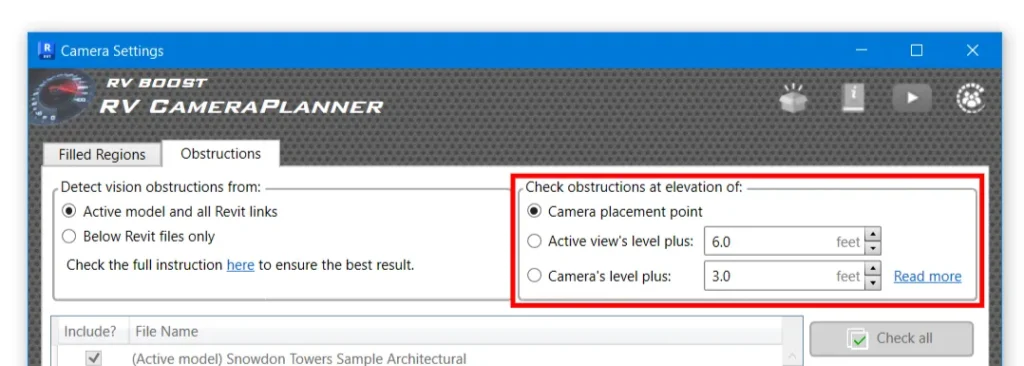
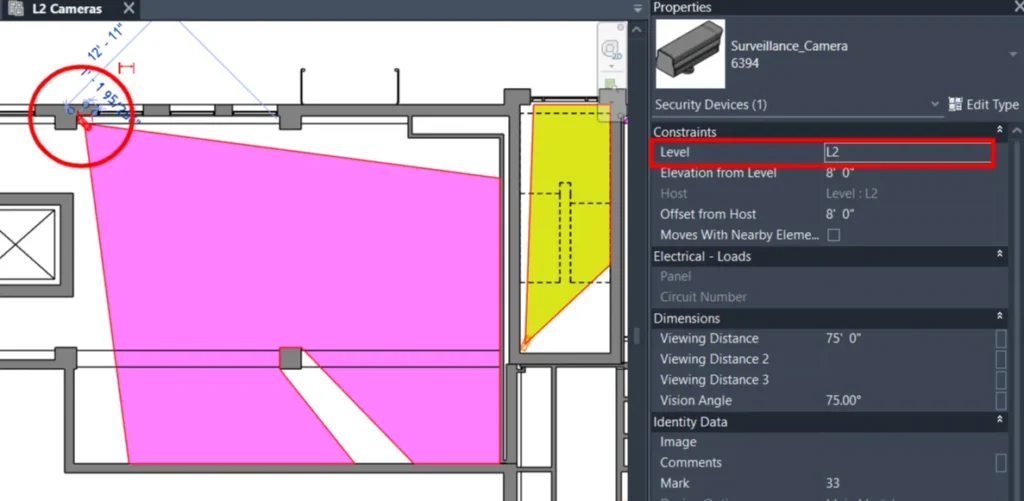
In the example view above, using the default setting (Check obstructions at elevation of the camera’s placement point) doesn’t work because the CCTV camera is actually slightly higher than the top of the highlighted wall:

As a result, the plane on which RV CameraPlanner detects obstructions does not include the highligted wall. This gives the filled region the “correct but not intended” shape:
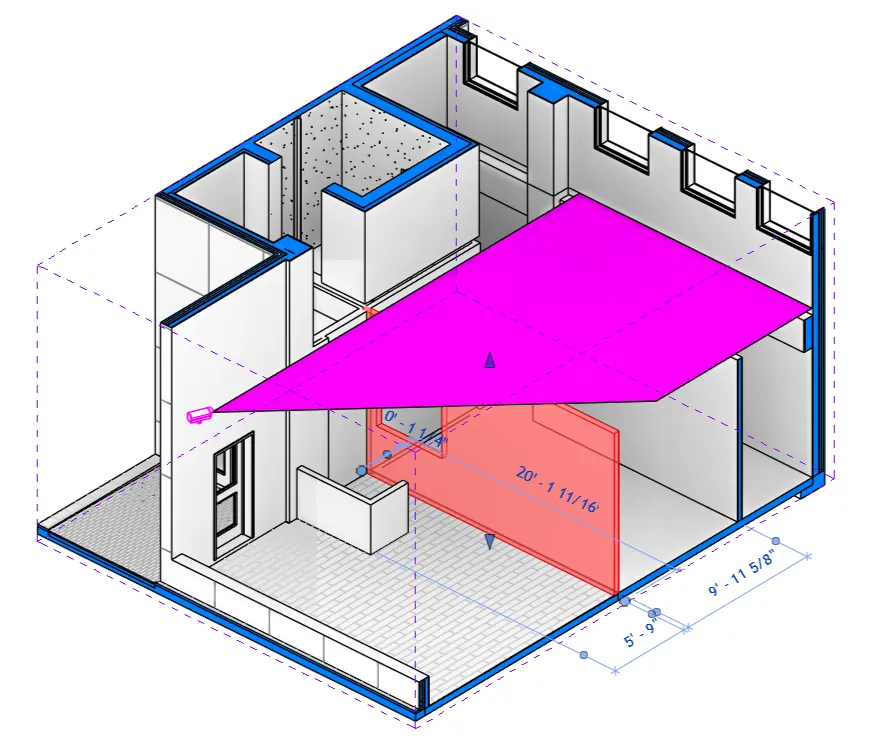
To fix this, we have a few options:
- Lower the actual CCTV camera: will work but is impractical because the camera then has the wrong installation height. Of course, you can lower the camera temporarily, generate filled region, and then move the camera back, but that’s cumbersome and prone to errors.
- Set the obstruction detection plane at a fixed height above the view’s host level
- Set the obstruction detection plane at a fixed height above the camera’s host level
Options 2 and 3 works and are very similar. Let’s see both in action so you can pick your preference.
Offset above view’s level
This works best when you have multiple cameras in the view and they’re all based on that view’s level:
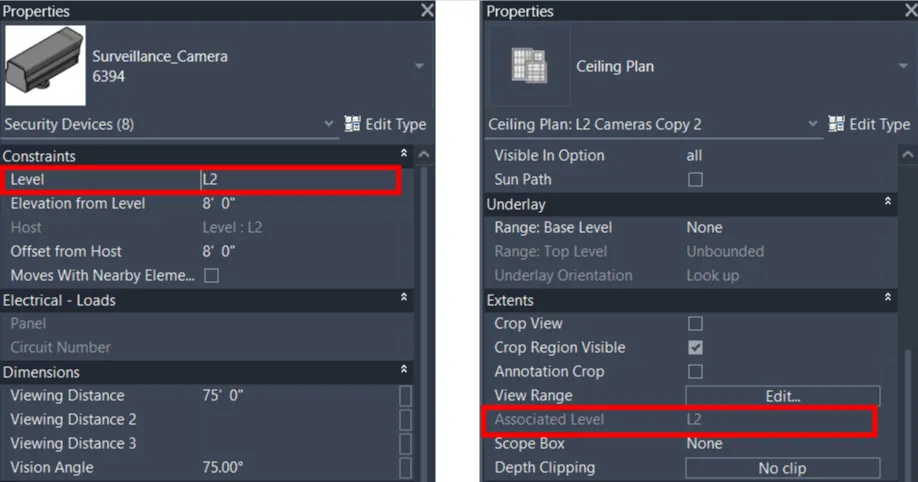
Here, we’re telling RV CameraPlanner to always detect obstructions on a plane that is 6 feet above the level of the view:
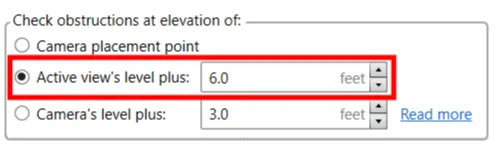
This should work well for most scenarios:
Offset above camera’s level
This is a variation of the above option but offers more granular control. It works best when your view shows cameras that have different base levels.

Here, we set the app to detect the host level of each camera, get the plane of the level, move it up by 3 feet, and process all obstruction elements that intersect that plane:
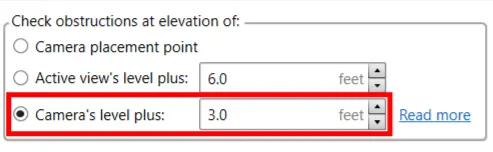
This fixes the issue with the camera in our original example, without us having to modify the camera in any way: