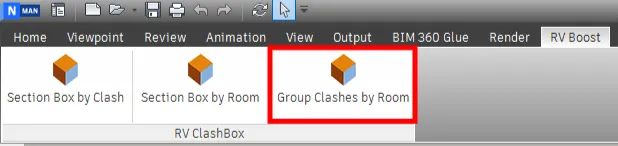
Group Clashes by Room
With RV ClashBox, you can group clashes by the room that contains or is closest to them. As a prerequisite, make sure your Navisworks model contains rooms from Revit. If in doubt, check out the export process we outlined here.
Once you have confirmed the model contains Revit rooms, click the button below to list all clash tests along with their key attributes.
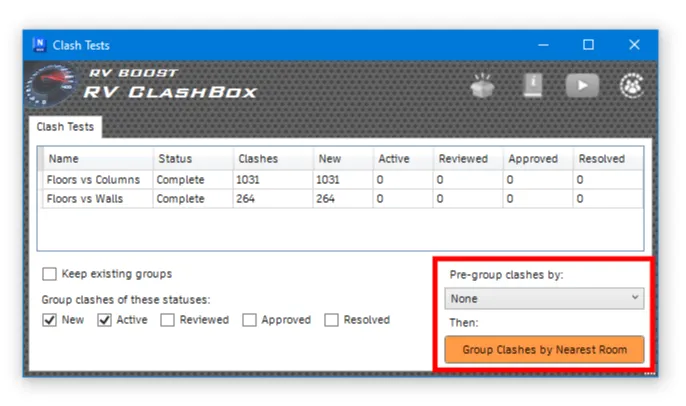
Here, you can decide to group clashes by nearest room only, or pre-group them using a different metric before sub-grouping them by room.
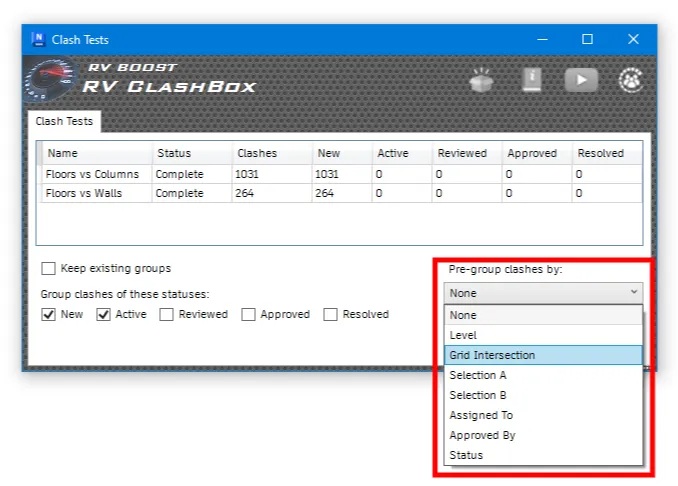
Here’s the full list of available pre-grouping options:
Next, select one or more clash tests from the table, and click the “Group Clashes by Nearest Room” button. Once grouping is complete, you will see the updated number of clashes in the same table.
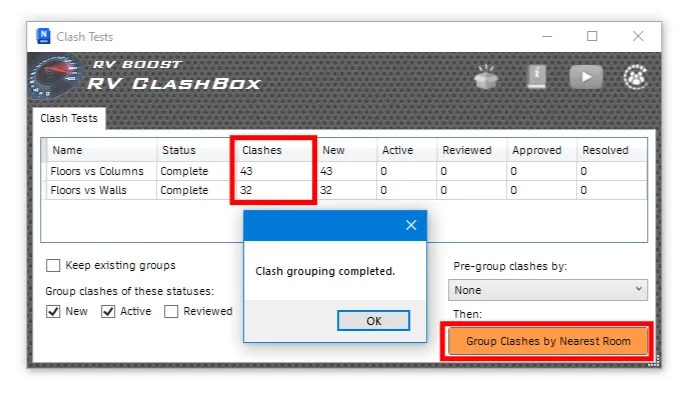
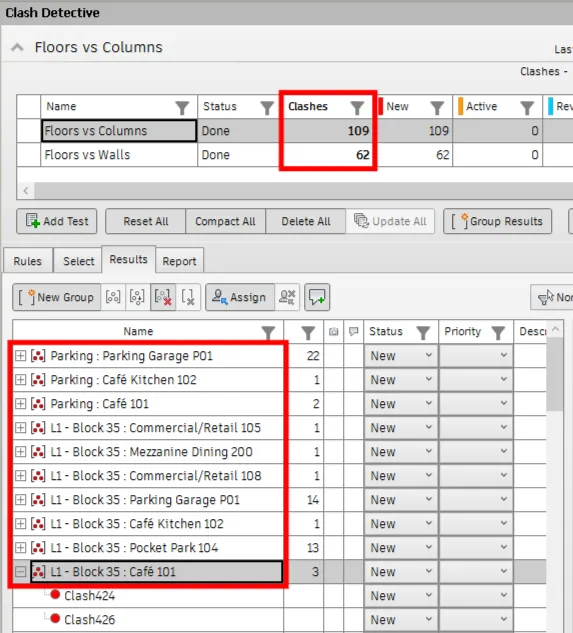
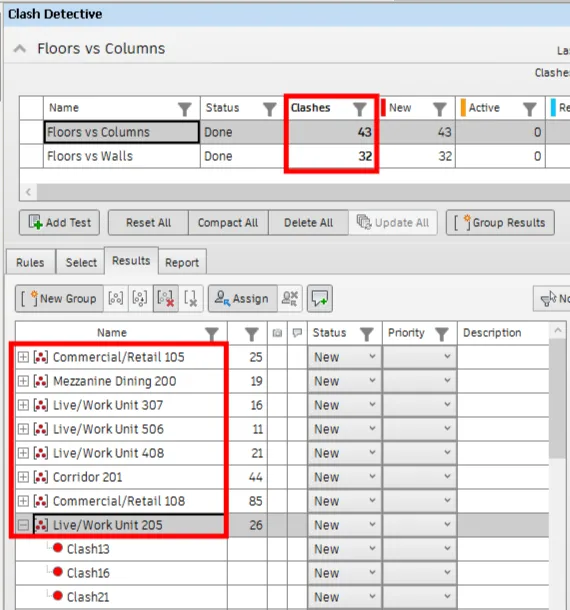
That will match exactly the number of clash results under Clash Detective. Here’s an example where we only grouped clashes by room.
If we also use pre-grouping, by Level for example, the result will look slightly different: