RV Help Center
-
CAD Files Explorer
-
RV BatchTransmit
-
RV CameraPlanner
- Quick Start
- Create 3D views from cameras
- Region parameters explained
- Configure camera obstructions
- Obstruction check plane
- Speed up camera obstruction detection
- Vary filled region settings by camera type
- Create multiple filled regions per camera
- Customize filled region appearance
- Filled region's origin offset
- Rotate filled region around camera
- Transfer settings between models
-
RV ClashBox
-
RV DeepClean
-
RV FamilyPurge
-
RV Live Coordinates
-
RV RoomLink
- Quick Start Guide
- Settings Checklist
- Use Custom Filters
- Guess Directions
- Use location projection on level
- Elements without rooms assigned
- Combine contained elements' parameters
- Count containted elements
- Distribute numeric room/space values
- Schedule objects above ceilings
- Schedule doors & windows by linked rooms
- Copy element data to rooms/spaces
- Extend Room/Spaces to Bounds
- Using a Network License
-
RV ZoneMonitor
-
Licensing
Print
Extra Features
The app is packed with options. Some could be easily overlooked!
✅ You may have elements currently hidden in your active Navisworks window. RV ClashBox lets you decide to keep them hidden in new generated clash views, or unhide them instead.
✅ You can generate views for clashes of all or only some statuses. For example, new views for only Active clashes.

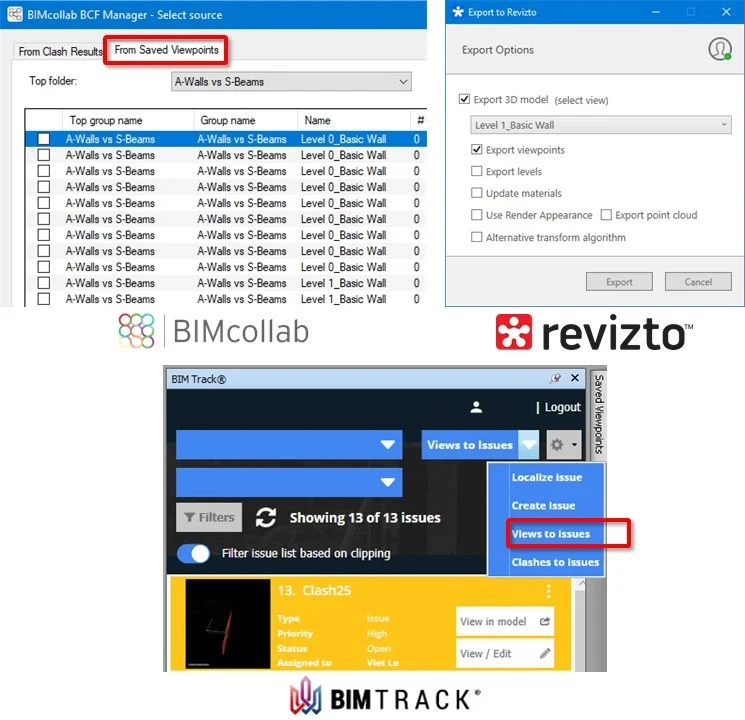
✅ You can export generated views to batch-create issues in your favourite clash tracking programs such as BIMcollab, BIM Track or Revizto. They will preserve the views’ section box and graphic overrides and save that into the issues as screenshots. This will really help your wider design team easily understand clashes in context, and quickly make you popular!
Contents